If your Ninja Crispi is showing ‘LID’ on the display, you’re looking at a safety feature, not a broken appliance. This error means the PowerPod isn’t making a proper electrical connection with the glass container, so the unit refuses to start. It’s a quick fix that involves checking alignment and ensuring the adapter is clicked in correctly. Let’s get your air fryer back to cooking.
Quick Answer: The ‘LID’ error means the PowerPod is not secured properly. To fix it, first lift the PowerPod, realign its handles with the sides of the glass container (not the front/back), and press it down firmly. If using the medium or large container, ensure the PowerPod is fully inserted into the adapter until it clicks before placing it on the container.
What the ‘LID’ Error Means
When ‘LID’ appears on the control panel, the Ninja Crispi cannot detect a secure, level connection. This sensor prevents operation if the lid isn’t correctly seated, which is crucial for safe and effective cooking. The sole cause is an improper connection between the PowerPod and the glass container, whether from simple misalignment, not using the required adapter for larger containers, or the adapter not being fully engaged.
Step-by-Step Fix for the ‘LID’ Error
Follow these steps in order. Start with the simplest check before moving to the adapter.
1. Check PowerPod Alignment
- Lift the PowerPod completely off the container. Place it safely on your countertop—it’s designed to sit there even when hot.
- Look at the glass container. Ensure the crisper plate (if using) is installed correctly and isn’t bent or warped, which could prevent the PowerPod from sitting flat.
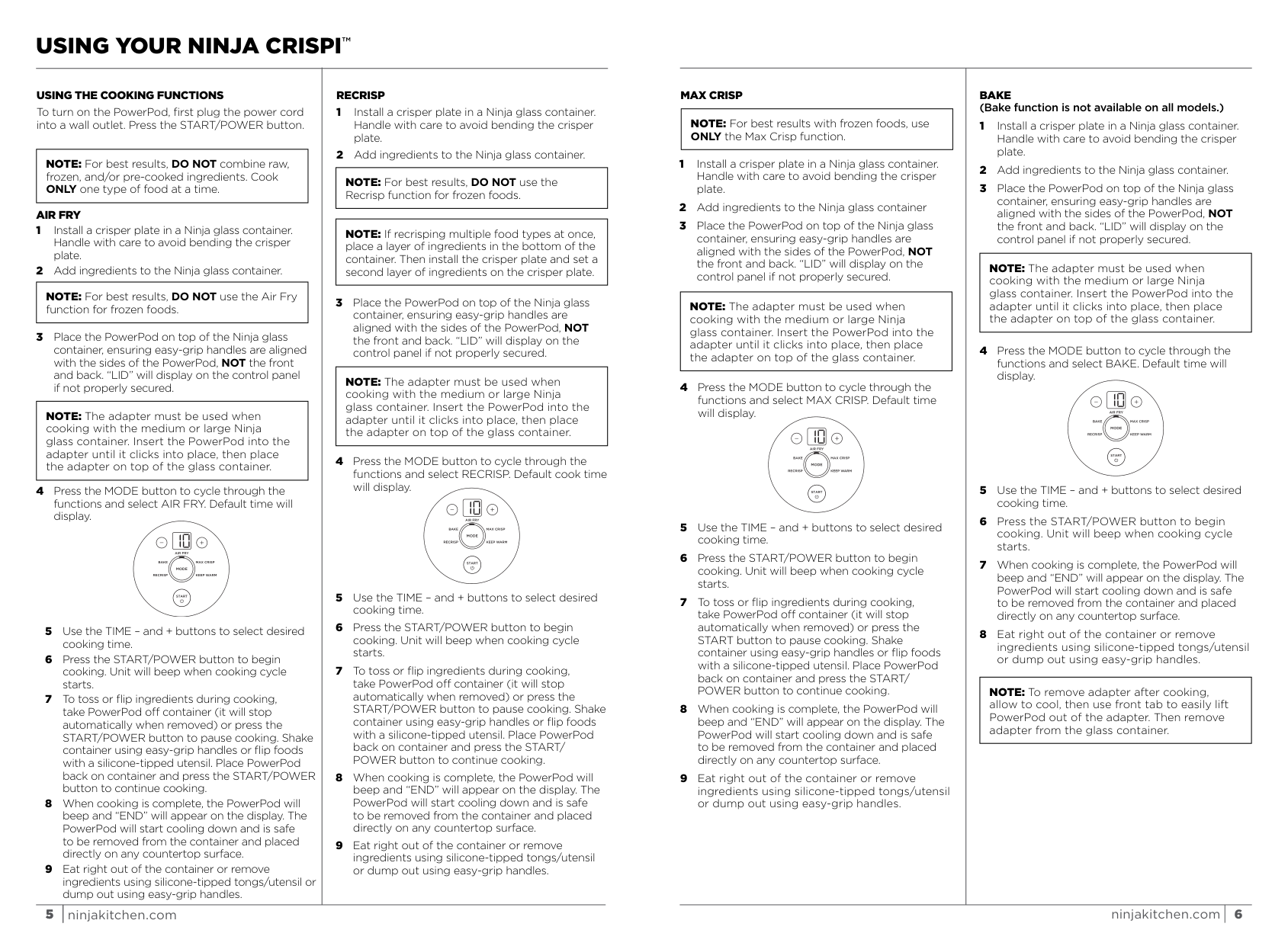
- Realign and reseat. The key instruction is to place the PowerPod on top “ensuring easy-grip handles are aligned with the sides of the PowerPod, NOT the front and back.” The handles must line up with the longer sides of the rectangular container.
- Press down firmly on the center of the PowerPod until you feel it settle evenly onto the glass rim. You should not see any significant gap.
- Check the display. If properly aligned and seated, the ‘LID’ message should disappear, allowing you to select a cooking function.
2. Ensure Adapter is Fully Clicked
If you’re using the medium (6-cup) or large (4QT) glass container, the adapter is mandatory. The manual is explicit: “The adapter must be used when cooking with the medium or large Ninja glass container.”
- Remove the PowerPod from the adapter or container.
- Inspect the adapter. Hold it with the front tab facing you.
- Re-insert the PowerPod. “Insert the PowerPod into the adapter until it clicks into place.” You should hear and feel a distinct click, indicating the locking mechanism has engaged.
- Then place the adapter assembly onto the glass container, again aligning the handles with the container’s sides.
- The ‘LID’ error should now clear. If it doesn’t, repeat the process, ensuring the click is definitive.
Here’s a quick reference table for the most common scenarios:
| Problem | Quick Fix | Expected Result |
|---|---|---|
| ‘LID’ error on small container | Realign PowerPod handles with container sides. | Error clears, functions selectable. |
| ‘LID’ error on medium/large container | Ensure PowerPod is clicked into adapter, then place assembly. | Error clears, functions selectable. |
| Error persists after alignment | Check for bent crisper plate or food debris on rim. | PowerPod sits perfectly flat. |
How to Prevent This Error
Once you fix it, keeping the ‘LID’ error from coming back is about building the right habit during setup. Your approach depends on which container you’re using.
For the small container, use the PowerPod directly with no adapter, always aligning the handles with the container’s sides. For the medium (6-cup) or large (4QT) container, you must use the adapter. The sequence matters: click the PowerPod into the adapter first, then place the combined unit onto the container. Never try to place the PowerPod directly onto a medium or large container, and never try to balance the PowerPod on top of an adapter that’s already on the container. The click connection is essential.
Listen for the audible click every time you insert the PowerPod into the adapter. After cooking, use the front tab to lift the PowerPod out of the adapter once cooled, then remove the adapter from the glass container. This prevents straining the connection points. Keep the rim of the glass container and the bottom edge of the PowerPod clean to ensure no food residue creates a gap. Also handle the crisper plate with care to avoid bending it, as a warped plate can prevent the PowerPod from sitting level.
Following these steps not only prevents the ‘LID’ error but also ensures optimal air circulation for even cooking. If your food still isn’t cooking correctly after resolving the lid error, our guide on why your Ninja Crispi isn’t cooking right covers temperature, timing, and arrangement solutions.
Frequently Asked Questions
Can I still get the ‘LID’ error if the Ninja Crispi PowerPod looks like it’s on straight?
Yes. The sensor is precise, so even a slight misalignment or a small piece of food debris on the sealing rim can break the contact. Always lift the unit, check the rim for obstructions, and reseat it deliberately, focusing on the handle alignment.
Do I need the adapter for the small Ninja Crispi container?
No. The adapter is specifically required only for the medium and large Ninja glass containers. Using it on the small container would likely prevent a proper seal and cause the ‘LID’ error.
The PowerPod is clicked into the adapter, but ‘LID’ still shows. What now?
First, confirm you are using the correct container size that requires the adapter. If so, unclick everything and start over. Ensure the adapter itself is sitting perfectly flat and level on the glass container’s rim. Finally, press the entire PowerPod-and-adapter assembly down firmly onto the container after alignment.
Is it safe to put the Ninja Crispi PowerPod on my counter when I take it off?
Absolutely. The PowerPod base is designed for heat protection and can safely be placed on any countertop during or after cooking, with or without the adapter attached.
Could a bent crisper plate cause this error?
Indirectly, yes. A severely bent plate might lift food so high it contacts the heating element or prevents the PowerPod from sitting flush. While the error is triggered by the lid sensor, a bent plate is a handling issue you should address to ensure even cooking.
What if I see an ‘E’ message instead of ‘LID’ on my Ninja Crispi?
An ‘E’ error is different and indicates the unit is not functioning properly. For more on this and other alerts like beeping or a black screen, see our full guide on Ninja Crispi beeping and error messages.
Official Documentation
Want the full specifications and manufacturer instructions? Download the official Ninja Crispi 4 in 1 Glass Air Fryer, 450°F, Non Toxic, 4QT and 6 Cup Containers with Lids, Dishwasher Safe, Stone, 1 Count, F manual (PDF).
