If your Ninja Crispi PowerPod is beeping unexpectedly, showing a black screen, or flashing an “E” error, you’re dealing with its primary ways of communicating a status or a problem. The good news is these are almost always simple to diagnose and fix, and only one scenario requires a support call.
Quick Answer: For most beeps, press the START/POWER button to resume or wake the unit from standby. For a black screen, the unit is in standby mode—press START/POWER to turn it back on. If you see an “E” error, the unit has an internal fault and you must unplug it, then call Ninja Customer Service at 1-877-646-5288.
Why Your Ninja Crispi Beeps
Your Ninja Crispi uses audible beeps to signal key moments in its cooking cycle. There are only three types of beeps you’ll hear, and understanding which is which prevents unnecessary worry.
Normal Start and End Beeps
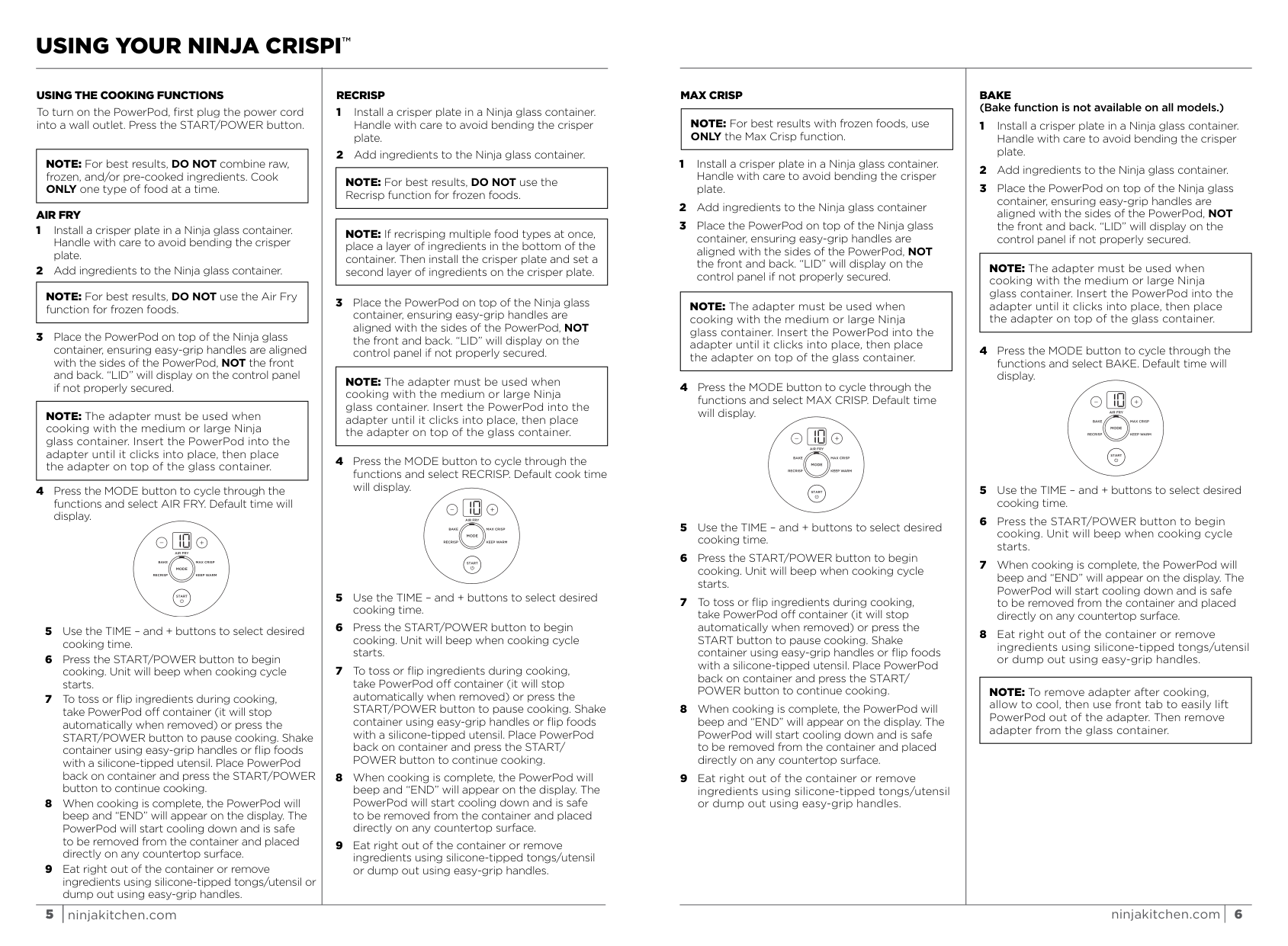
The most common beeps are completely normal. When you press START/POWER to begin any cooking function, the unit will beep once to confirm the cycle has started. This is your signal that the heating element and fan are active and the timer has begun its countdown. Similarly, when the cooking cycle finishes, the PowerPod will beep again and “END” will appear on the display. This is not an alarm; it’s a notification that your food is ready. At this point, the unit begins its cooling process and is safe to be removed from the glass container and placed directly on your countertop.
Pause Beep
A beep also sounds when you intentionally pause the cooking. You can pause in two ways: by pressing the START/POWER button during the cycle, or by lifting the entire PowerPod off the glass container. Both actions will stop the heating and fan automatically and trigger a beep to acknowledge the pause. To resume, simply place the PowerPod back on the container (if you removed it) and press START/POWER again. You’ll hear the start beep as cooking continues.
What to Do If the Screen Goes Black
A suddenly black or blank display can be alarming, but it’s almost always a simple power state issue, not a malfunction.
Unit is in Standby Mode
The Ninja Crispi is designed to enter a low-power standby mode after a period of inactivity. This is a power-saving feature. If you’ve finished cooking, walked away, and come back to a dark screen, the unit has simply put itself to sleep. It does this regardless of whether it’s sitting on the counter or stored away.
How to Wake It Up
Waking the unit from standby is straightforward. Ensure the power cord is plugged into a working wall outlet. Then, press the START/POWER button once. The display should illuminate, showing either the last used function or a default screen, ready for you to select a new mode. If pressing the button does nothing, double-check that the outlet is providing power by testing it with another appliance.
How to Handle an ‘E’ Error Message
An “E” on the display is the one signal that indicates a problem requiring your attention. Unlike the other issues, this is an error code for an internal fault.
What It Means
The “E” message means the unit’s internal diagnostics have detected something is not functioning properly. This could relate to the temperature sensor, the fan motor, or another critical component. When an “E” appears, the unit is not functioning properly and you should contact Customer Service.
Immediate Steps to Take
Do not attempt to continue using the appliance. Follow these steps:
- Unplug the PowerPod from the wall outlet immediately. This ensures safety and performs a hard reset that may clear a transient error.
- Allow the unit to cool completely if it was recently in use.
- Plug the unit back in and press START/POWER. If the “E” error reappears, the fault is persistent.
- Call Ninja Customer Service at 1-877-646-5288. Have your product and proof of purchase ready. The unit is covered by a one-year limited warranty against defects in material and workmanship. SharkNinja will cover the cost for you to send the unit in for repair or replacement, though a shipping and handling fee applies when they ship it back.
For quick reference, here’s a summary of the issues and their fixes:
| Problem | Quick Fix | Expected Result |
|---|---|---|
| Single beep at start/end of cycle | No action needed; this is normal. | Cooking begins or ends as expected. |
| Beep when pausing | Press START/POWER or replace PowerPod to resume. | Cooking continues from where it left off. |
| Black display screen | Press the START/POWER button once. | Display lights up, unit is ready for use. |
| “E” error message on display | Unplug, then call 1-877-646-5288. | Customer service will diagnose and arrange service. |
Frequently Asked Questions
My Ninja Crispi beeped and showed “END,” but my food isn’t cooked. What happened?
This usually means the PowerPod wasn’t properly secured during cooking. If the easy-grip handles aren’t aligned with the sides of the glass container, or if the PowerPod isn’t fully clicked into the adapter when using the medium or large container, heat and airflow can be compromised. Always ensure the unit is level and secure, with no “LID” message showing, before starting. For more on cooking issues, see our guide on why your Ninja Crispi food isn’t cooking right.
Is it safe to put the PowerPod on my countertop when it’s hot?
Yes. After cooking is complete, the PowerPod is designed to be safe to place directly on any countertop surface, whether it’s by itself or still attached to the adapter. The glass containers also have a heat-protectant base for the same purpose.
I see “LID” on the screen, not a black screen or “E.” What’s wrong?
The “LID” message is a separate safety alert. It means the PowerPod is not seated correctly on the glass container. You need to lift it off and re-place it, ensuring the handles are aligned with the container’s sides, not the front and back. If using an adapter, make sure the PowerPod is fully inserted until it clicks. We have a dedicated article for fixing the Ninja Crispi “LID” error fast.
Can I reset my Ninja Crispi to clear an error?
For an “E” error, the only effective reset is to unplug the unit from the wall for a full minute, then plug it back in. If the error persists after this power cycle, a hardware repair is needed. For a black screen, pressing START/POWER is the intended reset from standby mode.
My unit beeps, but the timer doesn’t start counting down. Why?
This typically happens if you’ve selected a cooking function but haven’t confirmed the time. After choosing your mode with the MODE button, you must use the TIME buttons to set a duration, then press START/POWER to begin. The beep you hear might be from a previous action; ensure you follow the full sequence: select function, set time, press start.
Where can I buy replacement parts if needed?
Wearable parts like crisper plates and glass containers are not covered under the one-year warranty for defects, but replacement parts are available for purchase at ninjaaccessories.com. For a deeper look at durability and real-world performance, check out our long-term Ninja Crispi review.
Official Documentation
Want the full specifications and manufacturer instructions? Download the official Ninja Crispi 4 in 1 Glass Air Fryer, 450°F, Non Toxic, 4QT and 6 Cup Containers with Lids, Dishwasher Safe, Stone, 1 Count, F manual (PDF).
