
If your ICM1241 ice maker not making ice, the problem typically falls into one of several categories: refrigerant loss in the compressor, water supply blockage, a jammed motor or shovel mechanism, or solenoid valve failure. The machine may appear to be running normally—with the compressor humming and the motor operating—but still produce zero ice output. This guide walks you through the exact diagnostic steps from the manual to identify which component has failed and whether the issue can be fixed at home or requires professional service.
Why Your ICM1241 Stops Producing Ice
The ICM1241 produces 12kg of ice per 24 hours under normal operation, with the ability to make nine pieces of ice in just eight minutes. When that production stops completely, you’re dealing with one of two scenarios: either the compressor has lost its R600a refrigerant charge, or a mechanical component (motor, shovel, solenoid, or evaporator) has failed downstream.
Common reasons for zero ice output with running motor
A running compressor is not a sign that ice production is occurring. The compressor may be cycling normally while the refrigerant has leaked out entirely—leaving you with a machine that sounds like it’s working but produces nothing. Other frequent causes include a stuck or jammed ice shovel that prevents ice from being deposited into the collection tray, a solenoid valve that won’t open to allow water onto the evaporator, or ice buildup blocking the water tray completely. In some cases, the motor may be running but the shovel mechanism has become disconnected or seized.
Difference between compressor damage and refrigerant loss
This distinction matters because one is a temporary fix and the other requires professional service. A compressor that has lost refrigerant will still run—it will cycle on and off normally and you may hear normal compressor noise. However, no ice will form because the evaporator never gets cold enough. A damaged or failed compressor, by contrast, may produce unusual buzzing noises, fail to cycle properly, or trigger the compressor protection mode (which activates automatically after 3 minutes under fault conditions). The manual specifies that if “the compressor has no refrigerant” or is “compressor damaged,” you must call the service hotline at 213-4467172.
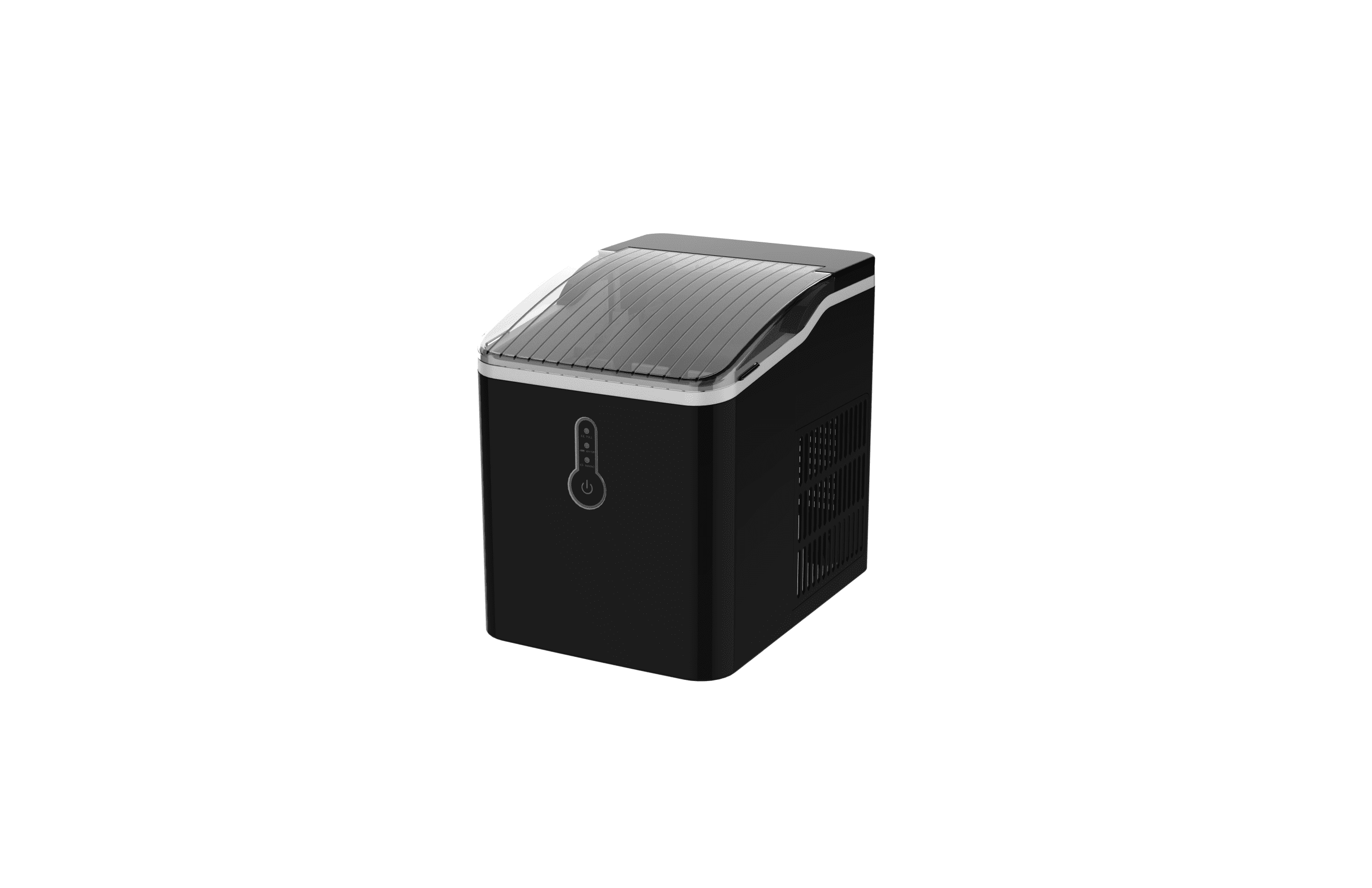
Verify ICE MAKING Indicator is Active
Before assuming the compressor has failed, confirm that the ice-making cycle is actually running by checking the control panel indicators. This single step eliminates many false diagnoses.
How to check if ice-making cycle is actually running
When you plug in the machine, the ICE MAKING indicator flashes. Once you press the power button, the ICE MAKING indicator should switch to always on (not flashing). This constant-on state means the ice maker is actively producing ice. If the indicator remains off or flashes indefinitely, the machine is not in production mode and you need to troubleshoot the startup sequence instead. Press the power button firmly and wait 30 seconds. The machine should begin its cycle: first making ice, then defrosting, then shoveling ice into the collection tray.
Interpreting control panel lights correctly
The ICM1241 has three main indicator lights, each with a specific meaning:
| Indicator Light | State | Meaning | Action Required |
|---|---|---|---|
| ICE MAKING | Always on (solid) | Ice maker is producing ice | None—normal operation |
| ADD WATER | Red light (solid or flashing) | Water tank is low or pump has air in it | Add water to MAX line; press power button |
| ICE FULL | Flashing | Ice storage container is at maximum capacity | Remove ice from basket; machine restarts automatically |
| All indicators | Flashing simultaneously | Water tray blocked, motor stuck/damaged, or micro switch failed | See troubleshooting section below |
If the ICE MAKING light does not come on when you press the power button, the issue is with power delivery or the control board, not ice production itself. Check that the machine is plugged into a working outlet and that your home’s main breaker hasn’t tripped.
Diagnose Compressor Refrigerant Issues
Refrigerant loss is the most common cause of “machine running but no ice” failures in the ICM1241. The compressor itself may be functioning perfectly, but without refrigerant, the evaporator never gets cold.
Signs your ICM1241 has lost refrigerant
A compressor with no refrigerant charge will exhibit these specific symptoms: (1) the ICE MAKING indicator comes on and stays on, (2) the compressor hums and cycles normally, (3) the motor runs and attempts to shovel ice, but (4) no ice ever appears in the collection tray after 10-15 minutes of operation. You may also notice the evaporator (the metal coils inside where water should freeze) remains at room temperature rather than becoming extremely cold. Unlike a mechanical jam, the machine will not make grinding or clicking sounds—it will simply run silently and produce nothing.

Why compressor protection mode triggers after 3 minutes
The ICM1241 has an automatic safety feature that detects certain fault conditions and activates compressor protection mode, which lasts approximately three minutes. During this period, the compressor shuts down temporarily to prevent damage. The manual lists the causes that trigger this protection: water shortage in the tank, ice overflow in the collection basket, or a recent power failure. When protection mode activates, the machine will appear to stop working—lights may flash, the compressor goes quiet, and no ice production occurs. After three minutes, the machine automatically attempts to restart. This is a normal protective response, not a permanent failure. However, if the machine enters protection mode repeatedly even after you’ve added water and emptied the ice basket, the root cause is likely a failed compressor or loss of refrigerant.
Check for Frozen or Blocked Water Tray
Ice buildup in the water tray is one of the easiest problems to diagnose and fix yourself, yet it’s often overlooked as a cause of zero ice output.
How ice from previous cycles blocks new production
Water is supposed to cycle from the tank, onto the evaporator where it freezes into ice, and then the ice shovel pushes the frozen cubes into the collection basket. If ice from a previous cycle remains stuck to the evaporator or sitting in the water tray, incoming water cannot reach the evaporator surface. The result: the machine runs but never freezes fresh water. This commonly happens after a power outage, when the defrost cycle is interrupted. The manual states: “If a power failure occurs due to the disconnection of the power cord, or the power button has been switched off during an ice-making cycle, small ice chips may be formed and lodge in the automatic shovel causing it to jam.” These stuck chips prevent new water from being sprayed onto the evaporator, halting all ice production.
Proper defrosting without mechanical tools (manual warning)
The manual explicitly warns: “Do not use mechanical devices or other means not recommended by the manufacturer to accelerate the defrosting process.” This means no ice picks, no screwdrivers, no forced chipping. Instead, follow this procedure:
Step 1: Unplug the ice maker from the wall outlet completely.
Step 2: Open the lid and use your fingers or a soft cloth to gently remove any visible ice chunks or chips from the water tray and evaporator area. If ice is too hard to remove by hand, proceed to Step 3.
Step 3: Leave the transparent cover off and allow the machine to sit at room temperature for 30-60 minutes. Ice will naturally melt as it warms to ambient temperature (65-72°F). Do not use heat sources like hair dryers, heat guns, or hot water, as these can damage the plastic components and refrigerant lines.
Step 4: Once the ice has melted, drain any standing water from the tray using the bottom drain plug. Wipe the evaporator and tray dry with a clean cloth.
Step 5: Plug the machine back in and press the power button to restart. The machine will automatically resume the ice-making cycle 3 minutes later.

Motor and Shovel Jam Troubleshooting
The motor drives the ice shovel, which scrapes frozen ice off the evaporator and pushes it into the collection basket. If the shovel jams or the motor stalls, ice production stops.
Why ice chips jam the automatic shovel during power loss
When power is suddenly cut off mid-cycle (whether by unplugging or a circuit breaker trip), the shovel freezes in place. If there is ice on the evaporator at that moment, water will continue to accumulate and freeze around the shovel blade once power is restored. On the next startup, the motor attempts to move the shovel but encounters resistance from the frozen mass, causing the motor to stall or skip. The machine may grind, click, or simply run without the shovel moving. Simultaneously, all indicators may flash or flicker—a warning sign that the motor is under stress. The manual specifically addresses this: “If a power failure occurs due to the disconnection of the power cord, or the power button has been switched off during an ice-making cycle, small ice chips may be formed and lodge in the automatic shovel causing it to jam.”
Safe manual shovel reset procedure
This is a user-serviceable fix that requires no tools:
Step 1: Unplug the machine from the wall outlet immediately. Do not attempt to force the shovel while the motor is powered.
Step 2: Open the transparent lid and look inside. Locate the ice shovel—a flat blade or paddle that sits at the bottom center of the machine, inside the ice collection basket.
Step 3: Using only your finger or hand, gently apply backward pressure to the shovel, pushing it toward the rear (back) of the machine cabinet. Do not force it; you should feel light resistance as any frozen ice breaks free. Push slowly and steadily until the shovel moves freely and returns to its rearmost position.
Step 4: Remove any loose ice chips or debris from the shovel blade and the surrounding tray.
Step 5: Plug the machine back in and press the power button. Wait for the startup beep or light confirmation. The machine will restart and resume ice making approximately 3 minutes later.
If the shovel still will not move after gentle pressure, the motor may be damaged or disconnected. In that case, do not continue attempting to force it—contact customer service at 213-4467172.
Solenoid Valve Failure Symptoms
The solenoid valve is an electromagnetic switch that opens to allow water from the tank to spray onto the evaporator. If it fails, water never reaches the freezing surface, and no ice forms.
How broken solenoid prevents water from reaching evaporator
The solenoid valve sits between the water tank and the water distribution system. When the compressor is running and the ice-making cycle begins, the solenoid receives an electrical signal that opens the valve, allowing water to flow. A failed solenoid will not respond to this signal—it remains closed or stuck in the open position. If it remains closed, water cannot reach the evaporator at all: the machine runs but produces zero ice. If the solenoid is stuck open, you’ll notice water continuously leaking or dripping from the evaporator area, even during standby mode. The troubleshooting table in the manual lists one specific symptom: “The machine has been working, but the water has been warming.” This indicates the solenoid opened correctly but has now failed, and the water is no longer being properly cooled as it enters the evaporator.
Why machine runs but produces no ice
This is the classic solenoid failure scenario. The compressor cycles, the motor attempts to shovel ice, all indicators show normal operation, but the evaporator receives no water and thus produces no ice. The machine may run for hours without producing a single cube. You can verify solenoid failure by listening carefully: if you hear the compressor running and the motor operating but absolutely no water trickling or spraying sound inside the machine, the solenoid is likely closed and failed. The manual specifies the solution: “Solenoid broke down—Replace the solenoid valve.” This requires professional service and is not a DIY repair.

When to Call ICM1241 Customer Service
Some failures cannot be fixed at home and require replacement parts or professional diagnosis. Knowing when to stop troubleshooting and call for help saves time and prevents further damage.
Unrepairable issues requiring professional service
The manual identifies these specific failures as requiring service hotline contact:
- Compressor has no refrigerant: A refrigerant leak cannot be sealed by the user and requires professional evacuation, repair, and recharge of the system.
- Compressor is damaged: A failed compressor must be replaced as a unit. Running a damaged compressor risks further system failure.
- Solenoid valve has broken down: The solenoid cannot be repaired; it must be replaced.
- Motor is stuck, has fallen off, or is damaged: If the shovel motor will not move even after following the manual reset procedure, internal motor damage has occurred.
- Micro switch is damaged: The micro switch detects ice fullness and activates the shovel. A failed switch causes all indicators to flash simultaneously and must be replaced.
- Ice full sensor is damaged: If ice piles up higher than the maximum capacity but the ICE FULL light never activates, the sensor has failed.
- Fan motor is damaged: If the fan (which helps with heat dissipation) stops running, cooling efficiency drops.
- Air blockage in pump persists: After standing idle for long periods, pressing the power button once or twice may not clear air from the pump lines. If the ADD WATER light stays on after 3-4 restart attempts, a professional pump cleaning may be needed.
What information to provide when calling 213-4467172
When you contact the ICM1241 customer service team, have the following information ready to speed up the diagnosis:
| Information | Why It Matters |
|---|---|
| Model number: ICM1241 | Confirms you have the correct product manual and parts reference |
| Item number: Z3912-BLACK | Identifies the exact variant for warranty and parts lookup |
| Proof of purchase (receipt or order number) | Required for warranty service per the manual |
| Symptoms observed (e.g., “compressor runs, no ice output”) | Narrows down which component has likely failed |
| Whether any error lights are flashing | Specific light patterns indicate specific failures |
| How long the machine has been in use | Helps determine if failure is due to age, defect, or user error |
| What troubleshooting steps you’ve already tried | Prevents customer service from suggesting steps already completed |
The customer service department is available from 8:30 AM to 5:30 PM Pacific Standard Time. You can also reach them at 661-4358826. They may arrange warranty replacement or repair depending on your purchase date and the nature of the failure. The manual states: “Dated proof of purchase is required for warranty service.” Keep your receipt or order confirmation available.
The service address for mail-in repairs or parts requests is: 9733 Topanga Canyon Blvd. APT310, Chatsworth, CA 91311.

FAQ
Why does the ICM1241 make ice for the first few cycles, then suddenly stop?
This pattern usually indicates refrigerant loss or a solenoid valve that works initially but then fails. Another possibility is that ice accumulated in the water tray and is now blocking water flow. Start by checking the water tray for blockages following the defrosting procedure in this guide. If that doesn’t restore production, the compressor or solenoid has likely failed and requires professional service. Call 213-4467172 for warranty support.
My ICM1241 shows the ICE MAKING light on, but it’s been running for an hour with no ice. What’s wrong?
An active ICE MAKING light combined with zero output over extended time points to one of three failures: (1) compressor has lost refrigerant and is no longer cooling, (2) solenoid valve is stuck closed and water cannot reach the evaporator, or (3) evaporator is blocked by ice from a previous cycle. First, unplug the machine and check the water tray for ice blockage by following the defrosting steps. If the tray is clear, the failure is compressor or solenoid related, and you’ll need professional service.
The compressor makes buzzing sounds and the machine won’t cool. Is this a power problem?
Yes, buzzing is specifically called out in the troubleshooting table: “The compressor works abnormally with a buzzing noise” is caused by “voltage is lower than recommended.” Check that your home voltage matches the machine’s rating (120V, 60Hz for the ICM1241). Use a multimeter to verify your outlet is delivering proper voltage. If voltage is low, stop operating the machine and contact an electrician. Never restart until voltage is confirmed normal. Also, never power-cycle the machine more frequently than every five minutes—doing so can damage the compressor.
All the indicator lights are flashing at the same time. What does this mean?
Simultaneous flashing of all indicators means one of three things: (1) the water tray is blocked by an ice cube, (2) the motor is stuck, has fallen off, or is damaged, or (3) the micro switch is damaged. Start by unplugging the machine and removing any visible ice from the water tray. Then gently push the shovel toward the rear as described in the motor troubleshooting section. If lights stop flashing after you restart, the problem is solved. If they continue flashing, the motor or micro switch has failed and you need to contact service at 213-4467172.
How long does ice production typically take on the ICM1241?
The machine can produce nine pieces of ice in eight minutes under normal conditions. Total daily output is 12kg over a 24-hour period. However, the first three cycles will produce smaller and irregular-shaped ice because the machine is still reaching optimal operating temperature. This is normal and does not indicate a problem. If after 15-20 minutes of operation you see no ice at all, a mechanical or refrigerant issue is present.