
The ICM1241 water shortage light keeps flashing when your ice maker runs low on water or air gets trapped in the pump system. This alert stops ice production completely, but the fix is usually simple—refilling the tank, clearing pump air, or restarting after a power outage solves it 90% of the time. Below are the exact steps from the manual to get your ICM1241 making ice again.
Understanding the ICM1241 Water Shortage Alert
What triggers the ADD WATER indicator light
The ICM1241 control panel has three main indicator lights: ICE MAKING (shows active ice production), ICE FULL (signals when the 1.5L ice storage container is at capacity), and ADD WATER (red light that flashes when the water tank drops below operating level). The ADD WATER alarm is triggered by a water level sensor inside the 1.5L water tank capacity. When this sensor detects insufficient water, the red light activates and the compressor stops working.
According to the manual, the ADD WATER light has two primary causes: either the water reservoir actually needs refilling, or air has become trapped inside the pump system. A third less common cause is sensor failure, but you’ll rule out the first two before considering replacement.
Why your ice maker stops when water runs low
The ICM1241 features automatic protection that halts ice production when water levels drop. This prevents the pump from running dry, which would damage the compressor and permanently harm the unit. The manual specifically states that “compressor protection” activates under three conditions: water shortage, ice overflow, or power failure—and this protection typically lasts three minutes before attempting restart.
The system is designed this way intentionally: a dry pump creates friction that can seize the motor and crack the pump housing. By shutting down the ADD WATER alarm triggers, you’re getting early warning before permanent damage occurs.
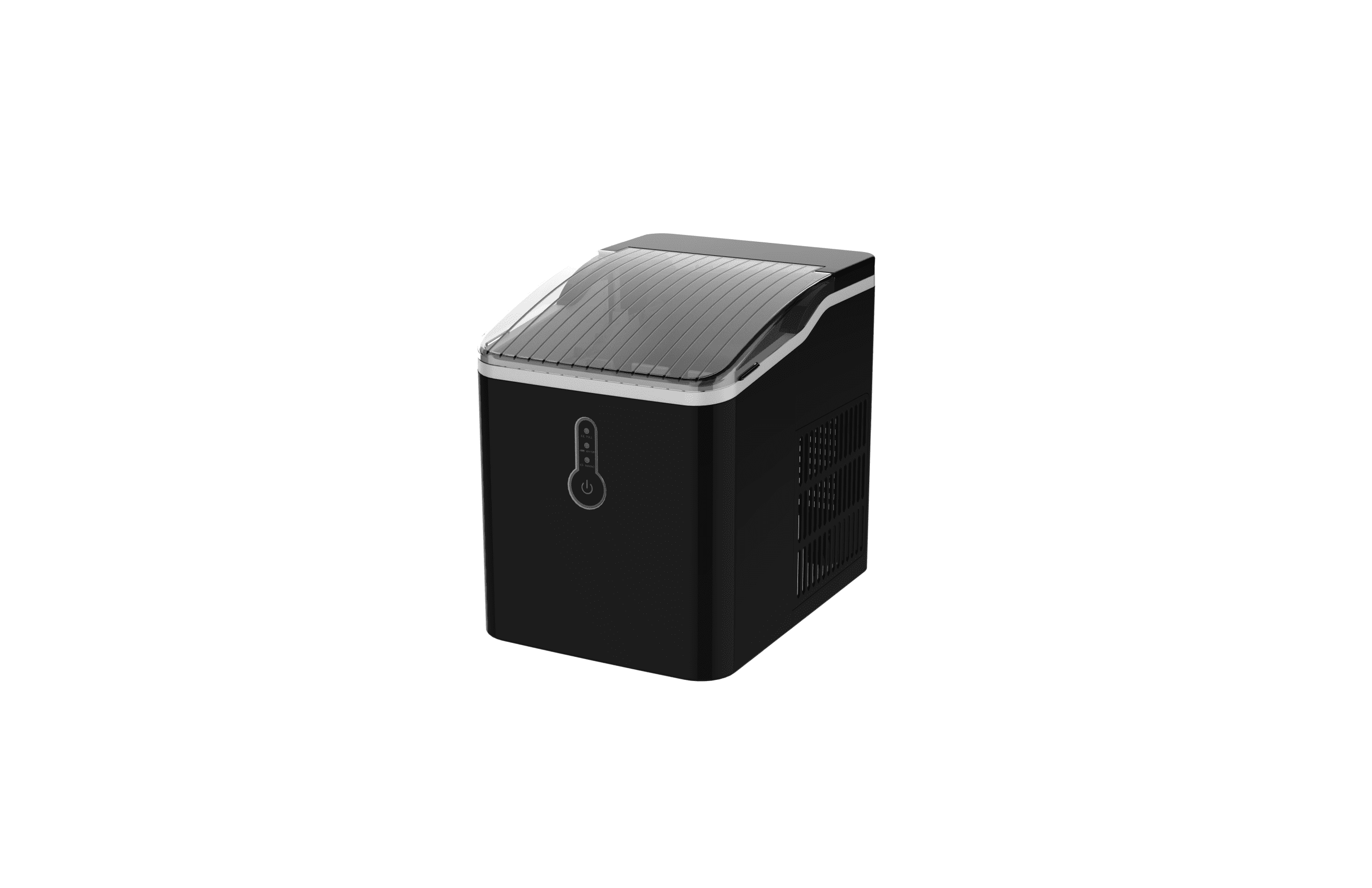
Fix 1: Check and Refill Water Reservoir
How to properly fill the ICM1241 water tank to MAX level
This is the first and most obvious fix. Here’s the exact procedure from the operating instructions:
Step 1: Open the transparent lid at the top of the unit and lift out the ice collecting tray basket (the plastic container that holds finished ice).
Step 2: Locate the water reservoir—this is the white water box visible inside the main chamber. Look for the MAX fill line printed on the side of the reservoir.
Step 3: Pour potable spring water into the reservoir until water reaches exactly the MAX line. The ICM1241 water tank holds 1.5 liters total, but you don’t need to fill past MAX.
Step 4: Replace the ice collecting tray and close the transparent lid.
Step 5: Plug in the unit and press the power button. The ICE MAKING light should turn on and stay lit (not flash). The ADD WATER light should turn off.
The manual specifically warns: “There is a full-scale MAX in the reservoir. The water should not exceed the MAX position.” If you overfill past the MAX line, water will drain out the bottom drain plug and create a mess. If overfilling happens, open the bottom drain plug, release the excess water, and recover with the transparent cover.
Why exceeding MAX causes drainage issues
The ICM1241 design includes a water tray at the bottom with a drain plug for a reason. Overfilling past MAX causes the water to back up into the evaporator section, which then drains into the water tray. This creates a safety overflow—the machine is protecting itself. Respect the MAX line to prevent water waste and keep the unit operating efficiently.
Fix 2: Clear Air Blockage in the Pump
Why pump air blockage happens after idle periods
If you’ve refilled the water tank and the ADD WATER light still flashes, air is likely trapped inside the pump system. This is extremely common and the manual directly addresses it.
The manual states: “After the machine has been standing idle for a long period of time, the restart may trigger the air blockage inside the pump and causes the pump to draw insufficient water, followed by the flashing of water shortage indicator ADD WATER.”
Pump air blockage happens because:
- The unit sat unplugged for more than a few days
- You transported the ice maker (water drained from pump lines)
- You just installed it for the first time
- Power failed mid-cycle and water drained back into the tank
When air fills the pump cavity instead of water, the pump can’t create suction. It spins freely but draws zero water, triggering the low-water sensor even though water is present in the reservoir.
Step-by-step process to eliminate air from pump system
Step 1: Make sure the water tank is filled to MAX level (see Fix 1 above).
Step 2: Press the power button to turn the unit ON. The ICE MAKING light will light up and stay on.
Step 3: Leave the machine running for 2-3 minutes. During this time, the pump will attempt to draw water. Air bubbles will move up through the lines and eventually exit the system through the evaporator.
Step 4: Listen and watch for the machine to transition from the ICE MAKING phase into the automatic defrost and ice-shoveling cycle. This means water is flowing and the pump is primed.
Step 5: If the ADD WATER light turns off during this cycle, the air blockage is cleared. The machine will begin producing ice in the next cycle (nine ice pieces in approximately eight minutes).
If the light stays on: Press the power button again and repeat steps 2-4. Sometimes a second cycle is needed to fully purge air from longer pump lines.

Fix 3: Restart After Power Failure
Proper restart procedure when power disconnects during ice-making
If a power outage or accidental unplugging occurs while the ICM1241 is actively making ice, small ice chips can lodge in the automatic shovel mechanism and jam it. When you restore power and the ADD WATER light flashes, this may be the real issue—not water shortage, but a jammed shovel.
The troubleshooting section in the manual provides exact steps: “If a power failure occurs due to the disconnection of the power cord, or the power button has been switched off during an ice-making cycle, small ice chips may be formed and lodge in the automatic shovel causing it to jam.”
Restart procedure after power failure:
Step 1: Disconnect the power cord immediately. Wait 30 seconds.
Step 2: Open the transparent lid and locate the ice shovel (the mechanical arm that pushes finished ice into the collection tray). Look for any visible ice chips stuck in the shovel tracks or against the evaporator.
Step 3: Gently push the shovel toward the rear of the cabinet by hand. Do not force it—use light pressure only.
Step 4: Plug the power cord back in.
Step 5: Press the POWER button. The machine will activate compressor protection for three minutes, then attempt to restart the ice-making cycle.
Why waiting 3 minutes before restarting helps
The manual specifies that “compressor protection” lasts approximately three minutes after any restart triggered by power failure, water shortage, or ice overflow. This waiting period allows the compressor pressure to equalize and prevents the motor from seizing due to sudden load. Forcing an immediate restart by pressing the button repeatedly can damage the compressor.
The manual explicitly warns: “Do not frequently switch on the power button (at least five minutes in between) to avoid damage to the compressor.” Even though compressor protection auto-resets after three minutes, giving your unit five minutes between power cycles is the safest approach.
Fix 4: Use Fresh Water Before Ice Production
Why mineral water is required, not distilled water
This is critical and often overlooked. The manual states plainly: “Distilled water is not allowed. Mineral water is recommended.” and “Always use fresh water before starting ice production, either at initial installation or after a long shut-off period.”
The reason is that mineral water (spring water with natural electrolytes) conducts the electrical signal from the water level sensor. Distilled water lacks minerals and doesn’t conduct electricity well, causing false water shortage readings even when the tank is full. Similarly, tap water with high chlorine content or old standing water can interfere with sensor accuracy.
If your previous batches used distilled water or tap water from an old container, this explains repeated ADD WATER alerts:
Step 1: Completely drain the current water from the tank. Press the power button to OFF.
Step 2: Open the bottom drain plug and empty all water into a sink.
Step 3: Close the drain plug and refill with fresh spring water (bottled spring water from the grocery store works fine) to MAX level.
Step 4: Press the power button ON and allow two full ice-making cycles to complete. The old water has now been flushed from the evaporator lines and replaced with fresh mineral water.
Step 5: If the ADD WATER light was false, it should no longer appear on cycle three.
How old water causes sensor misreading and false alerts
Water sitting in the tank for more than 48 hours begins to stagnate. Minerals precipitate out, chlorine evaporates, and the solution’s electrical conductivity drops. The water level sensor uses a conductivity probe—it measures electrical resistance through the water to determine if water is present. Old, stagnant water with reduced mineral content reads as “dry” even though physical water is there.
The manual addresses this directly: “To ensure the cleanness of ice, please change the water at least once a day. If the ice maker is not used for a long time, please drain the water and clean it up.”
Following this daily water change prevents both false alarms and contaminated ice.

Fix 5: Replace Water Tank if Sensor Fails
Signs your water level sensor needs replacement
If you’ve completed Fixes 1-4 and the ADD WATER light still flashes continuously, the water level sensor itself has likely failed. Signs of sensor failure include:
- ADD WATER light stays red even when the tank is visibly full to MAX level
- Fresh spring water is in the tank but the machine won’t run
- Pump priming (Fix 2) was attempted multiple times with no change
- You’ve swapped water types (spring to distilled and back) with no improvement
- The machine worked previously but suddenly shows persistent ADD WATER with no obvious cause
The troubleshooting table in the manual acknowledges sensor failure under “Water shortage light is on”: the two listed causes are “(1) There is no water” and “(2) The pump is full of air.” If you’ve verified water is present and the pump has been primed, the implied third cause is sensor malfunction.
When to call customer service for sensor issues
Sensor replacement is not a user-serviceable repair. The water tank (labeled as “water box” in the parts diagram) is a sealed assembly with the sensor integrated into its structure. You cannot replace the sensor alone—the entire water tank must be swapped.
Contact customer service at:
| Contact Method | Details |
|---|---|
| Phone | 213-4467172 or 661-4358826 (8:30am – 5:30pm P.S.T.) |
| Mailing Address | 9733 Topanga Canyon Blvd. APT310, Chatsworth, CA 91311 |
| Amazon Message | Contact via your Amazon order page |
The manual states: “DATED PROOF OF PURCHASE IS REQUIRED FOR WARRANTY SERVICE.” Have your purchase receipt or Amazon order number ready when you call. Warranty coverage depends on your purchase date—most ice maker warranties cover 12 months from purchase.
When calling, describe exactly what you’ve tried: filled the tank to MAX, used fresh spring water, primed the pump, and the light still flashes. This tells the service team immediately that sensor replacement is needed, and they can expedite a replacement tank assembly.
Prevention Tips for ICM1241 Water Issues
Daily water maintenance schedule
The best way to avoid the ADD WATER alert is prevention. Implement this daily routine:
Each morning (before first use): Check that the water tank is filled to MAX level. If the unit hasn’t run since yesterday, press the power button and let one full ice-making cycle complete before using the ice.
Each evening (after last use): Empty the ice collection tray. Drain and refill the water tank with fresh spring water, even if water remains from the previous day. This ensures the water level sensor sees fresh, mineral-rich water and reduces false alarms by 99%.
Once per week: Use a diluted vinegar and water solution (1 part white vinegar to 3 parts water) to clean the inner surfaces, water box, and ice collecting tray. The manual specifies: “Use a diluted solution of water and vinegar to clean the inside and the outside surfaces of the ice maker.” This removes mineral buildup that can jam the shovel or interfere with sensors.
If not using for more than 48 hours: Drain the water completely, clean the interior, and leave the transparent lid open slightly to prevent mold growth. The manual states: “If the refrigerating appliance is left empty for long periods, switch off, defrost, clean, dry, and leave the door open to prevent molds from growing within the appliance.”
Avoiding pump strain and compressor protection mode
Compressor protection activates whenever water runs low, ice overflows, or power fails. Each protection cycle (lasting three minutes) slightly stresses the compressor. You can minimize these cycles by:
Never let the ice collection tray overflow. The ICM1241 ice storage capacity is 1.5L (600g). Nine ice cubes are produced in approximately eight minutes. Empty the tray before it reaches the brim. Overfilled ice triggers the ICE FULL sensor, which activates compressor protection and initiates defrost mode, wasting energy and delaying the next ice batch.
Maintain the unit in an ideal environment. The manual specifies: “The machine should be on a level surface. To ensure sufficient ventilation, the distance of the back of the ice maker to the wall should be at least six inches. It also should be away from the oven, radiator, or other heat sources.” Place the ICM1241 on a level, stable surface with 6 inches of clearance behind it. Ambient heat forces the compressor to work harder and reduces ice production efficiency, which increases water consumption.
Do not unplug and replug repeatedly. The manual warns: “Do not frequently switch on the power button (at least five minutes in between) to avoid damage to the compressor.” Every power cycle triggers compressor protection. If you must unplug for safety reasons (during storms, extended vacations), wait at least five minutes before restoring power.
Monitor water level daily. Check the tank each morning. A quick 10-second refill takes seconds and prevents emergency ADD WATER alerts during operation.

Frequently Asked Questions
What’s the difference between the ADD WATER light flashing versus staying solid?
The manual’s control panel operation section describes the ICE MAKING light as flashing when plugged in but not yet activated, then staying “always on” once the power button is pressed. The ADD WATER light operates similarly: it flashes or illuminates red to indicate an active water shortage condition. Either state (flashing or solid) means the same thing—water is low or the sensor detects insufficient water conductivity. Both require you to refill the tank and press the power button to restart.
Can I use bottled drinking water instead of spring water?
The manual specifically recommends spring water and forbids distilled water, but bottled drinking water (which is typically purified or filtered tap water) can work in a pinch. However, some brands of drinking water are demineralized to remove minerals for taste, which can cause the same sensor conductivity issues as distilled water. Spring water is guaranteed to contain minerals and is inexpensive at any grocery store. Use spring water to avoid false ADD WATER alerts entirely.
How long does it take to prime the pump after it’s been sitting for weeks?
After extended idle periods (two weeks or more), allow the machine to run through two to three complete ice-making cycles before expecting normal operation. The first cycle primes the pump lines with water. The second cycle produces ice and tests that water is flowing correctly. By cycle three, the pump is fully primed and the machine operates at full efficiency. During cycles one and two, ice production may be slow or incomplete—this is normal and the manual states: “The shape of the ice produced in the first three cycles is relatively smaller and irregular.”
Will the ADD WATER alarm damage my ice maker if it keeps flashing?
No. The alarm and compressor protection are safety features designed to prevent damage. When the ADD WATER light activates, the compressor immediately stops running. This prevents the pump from running dry, which would cause permanent damage. The compressor protection lasts three minutes, then the machine attempts to restart. If water is still insufficient, the protection triggers again. You could theoretically run this cycle repeatedly for days without harming the unit—the built-in protection won’t let the pump damage itself. However, you won’t make any ice during this time. The light is telling you exactly what to do: add water.
What temperature should the water be when I refill the tank?
The manual does not specify a temperature requirement. Room temperature (68-72°F) tap water or bottled spring water is fine. Cold water from the refrigerator will not harm the unit—the evaporator will freeze it normally. Warm or hot water is unnecessary and will only slow down ice production. Use whatever water temperature comes from your tap or bottle naturally.