
If your Ninja BL610 shuts off unexpectedly during blending, the thermal switch has likely activated due to overheating. This is a built-in safety feature that protects your 1000-watt motor from damage, but it requires a specific reset procedure to restore operation. Understanding how this thermal protection works and what causes overheating will help you avoid repeated shutdowns.
Understanding Thermal Overload in the Ninja BL610
How the thermal switch protects your blender
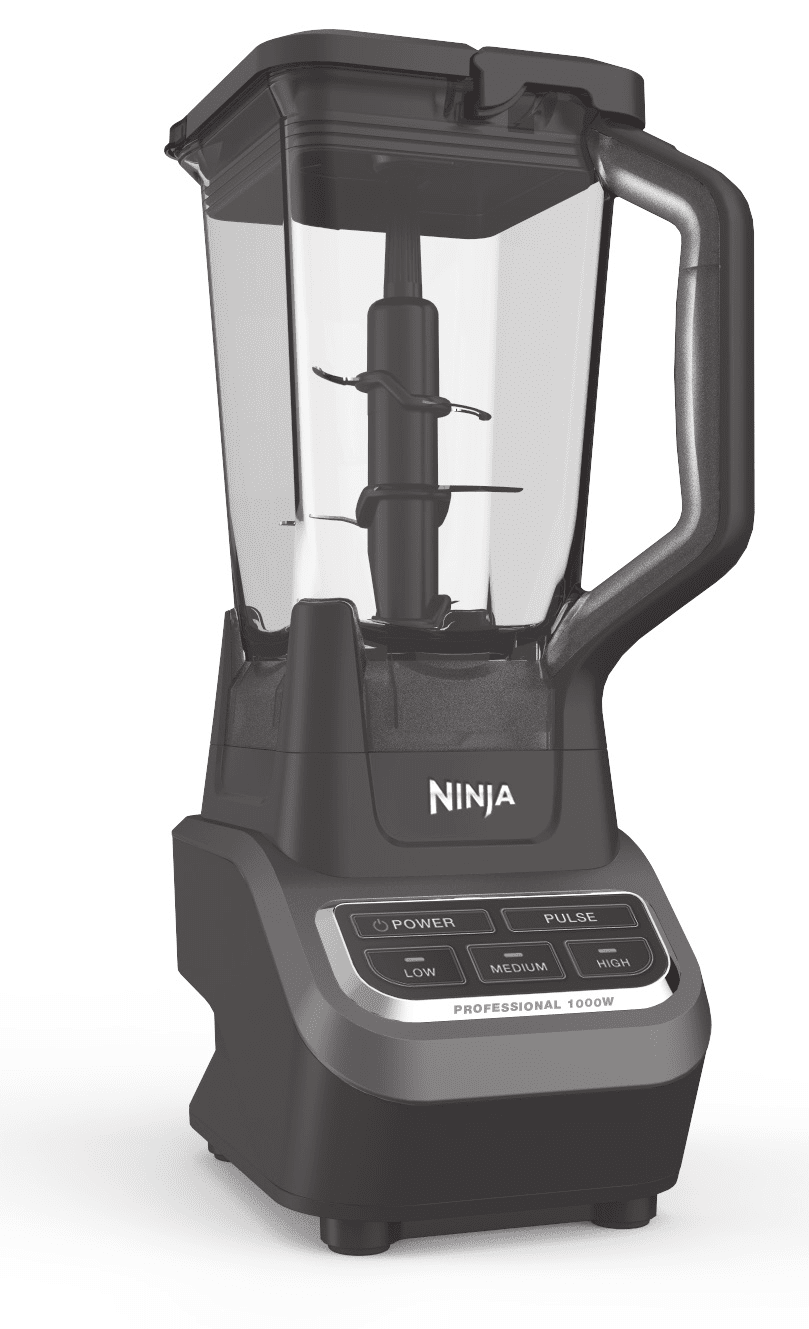
The Ninja BL610 Professional Blender 1000 includes a thermal switch connected directly to the motor assembly. When the motor temperature exceeds safe operating limits, this switch automatically cuts power to protect internal components from heat damage. This is not a malfunction—it’s a designed safety mechanism. The thermal switch is temperature-sensitive and responds to sustained high-speed operation or blocked airflow around the motor base.
Your 1000-watt motor generates considerable heat during operation, especially when processing hard ingredients like ice or frozen fruit at high speed for extended periods. The thermal switch monitors this heat and intervenes before damage occurs to the windings or bearings inside the motor base.
When thermal shutdown happens unexpectedly
A thermal shutdown typically occurs without warning—the motor simply stops mid-blend. The power button may go dark or unresponsive. This happens because the thermal switch has tripped and disengaged the motor circuit. Unlike a power outage or electrical fault, a thermal shutdown means your blender detected unsafe operating conditions and protected itself.
The most common scenario is continuous blending without rest intervals. If you’ve been running your BL610 for 5-10 minutes straight at high speed, the motor base will become noticeably warm, and the thermal switch may activate. Thicker mixtures and frozen ingredients demand more motor effort, generating additional heat.
Why overheating damages blender performance
Excessive heat degrades the insulation on motor windings and can damage sealed bearings. If the thermal switch did not exist, repeated overheating cycles would gradually reduce motor lifespan and could eventually cause complete motor failure. The thermal protection system prevents this degradation by forcing cooldown periods.
Over time, a motor that frequently overheats loses power output and runs less efficiently. You may notice the blender struggles with tasks it previously handled easily, or the motor sounds strained. Early thermal shutdowns prevent this performance decline and extend the life of your blender to well beyond the standard household use expected from this appliance.
Exact Thermal Switch Reset Procedure
Resetting the thermal switch is straightforward and requires no tools or disassembly. Follow these steps exactly as outlined in the Ninja BL610 owner’s guide:
Step 1: Unplug immediately from outlet
As soon as the motor shuts off due to overheating, unplug the power cord from the electrical outlet. Grasp the plug itself—never yank the cord. This de-energizes the motor and thermal switch circuit. Do not attempt to press the power button again or restart the blender while it is still plugged in. The thermal switch will not reset while power is supplied to the appliance.
Step 2: Wait 15 minutes for cooldown
According to the official manual, you must wait approximately 15 minutes before using the blender again. Do not attempt to restart before this period expires. The motor base will still feel warm during much of this cooldown window—this is normal. The thermal switch requires the internal motor temperature to drop to a safe level before it will re-engage.
During this 15-minute period, do not plug the blender back in, move it, or attempt any troubleshooting. Simply leave it unplugged on your counter in its normal operating position. Ensure the area around the motor base has adequate airflow—do not cover it with a towel or place it in an enclosed cabinet during cooldown.
Step 3: Reassemble and restart safely
After the 15-minute cooldown is complete, check that all components are properly assembled. Verify that the pitcher is securely seated on the motor base and rotated fully to the left. Confirm that the lid is locked in place with the locking handle pressed down firmly. The safety tabs on the pitcher bottom should be fully engaged under the safety tabs on the motor base.
Plug the power cord back into the outlet. The power button should be solid (not flashing), indicating the appliance is ready for use. If the button flashes, the pitcher or lid is not properly seated. Recheck the assembly before proceeding.
Press the power button to test. Start with a LOW or MEDIUM speed setting rather than HIGH. Avoid processing the same thick mixture that caused the initial shutdown. If operation resumes normally, the thermal switch has successfully reset.
Verification that reset was successful
The blender has successfully reset when the motor runs smoothly and the power button remains solid throughout operation. You should hear the normal operational sound of the blades rotating. If the motor shuts off again after only 1-2 minutes of operation, do not repeatedly attempt to restart. This indicates a recurring overheating problem that requires investigating the underlying cause (see section: Why Your Ninja BL610 Keeps Overheating).

Why Your Ninja BL610 Keeps Overheating
Blending hot liquids (prohibited)
The manual explicitly states: “DO NOT BLEND HOT LIQUIDS.” This is one of the primary causes of thermal switch activation. When you add liquid hotter than room temperature to the pitcher, the motor base absorbs heat through the pitcher contact points. Hot soup, heated milk, boiled water, or freshly steamed ingredients cause the external motor base temperature to rise immediately, stressing the thermal switch.
Hot liquid blending also accelerates wear on the blade assembly and gasket seals. The combination of blade friction heat and external liquid heat can raise the internal motor temperature dangerously fast. Always allow hot ingredients to cool to room temperature before blending, or blend cold ingredients separately and combine them after processing.
Operating the blender empty (common mistake)
The manual states clearly: “DO NOT operate the appliance empty” and “IMPORTANT: Never run the appliance empty.” Running the 1000-watt motor without ingredients creates maximum friction and heat with no thermal mass to absorb it. An empty pitcher means the motor spins freely without any load damping, causing the motor to work harder and generate excessive heat quickly.
Even a 10-second test run without ingredients can trigger the thermal switch on a motor that has already been worked hard. Never test the blender to confirm operation by running it empty. Always have at least some liquid or ingredients in the pitcher before pressing the power button.
Processing thick mixtures without liquid
Thick nut butters, frozen fruit smoothie bases, or dense batters force the motor to work much harder than thin liquids do. The blades move slower through thick material, increasing friction and motor load. Without sufficient liquid to reduce resistance, the motor can overheat within 2-3 minutes at high speed.
The troubleshooting guide specifically notes: “Food Collects On Lid or On the Sides of the Pitcher: The mixture is too thick. Add more liquid.” Thick mixtures require more liquid than you might initially think. Start with a ratio of 1 part thick ingredient to 2 parts liquid, then adjust consistency after blending.
Continuous use without rest periods
The Ninja BL610 is designed for household blending tasks, not commercial continuous-duty operation. Running the blender for more than 5-10 minutes consecutively, even at medium speed, can cause the thermal switch to activate. The motor base temperature rises with every minute of operation, and without cooldown periods, it crosses the thermal threshold.
If you need to blend multiple batches, process one batch, then wait 2-3 minutes before blending the next batch. This allows the motor base to cool between uses. For example, if making multiple smoothies for a family, blend one smoothie completely, unplug the blender, let it rest while you drink it, then blend the next smoothie. This practice prevents thermal issues entirely.
Prevention Tips to Avoid Future Overheating
Proper motor base placement and ventilation
Position your Ninja BL610 on a clean, dry, level surface with at least 4-6 inches of clearance on all sides, especially around the rear where airflow vents are located. Do not place the blender directly against a wall, inside a cabinet, or under a shelf. Restricted airflow around the motor base prevents heat dissipation and causes the thermal switch to activate more easily.
The manual specifies: “Always use appliance on a dry, level surface.” A stable, open location allows air to circulate freely around the motor housing. If your kitchen counter space is limited, consider clearing a dedicated blending area rather than squeezing the blender into a tight space. Proper ventilation is one of the simplest and most effective prevention methods.
Adding liquid before processing thick items
The correct assembly order matters for thick recipes. Place the blade assembly in the pitcher first, then add your thick ingredients, then add liquid on top. Use the pouring spout to add more liquid mid-blend if the mixture appears too thick. A good rule: if you cannot see the top of the blades through the mixture, add more liquid.
For nut butters, frozen fruit bases, or smoothie bowls, start with 1 cup of liquid for every 1 cup of thick ingredients. Blend at MEDIUM speed, not HIGH. If the mixture is still too thick, stop the blender (using the power button), add another ½ cup of liquid through the pouring spout, and resume blending. This approach prevents the motor from being overworked.
Using PULSE mode instead of continuous blending
The PULSE button delivers bursts of power for controlled processing without sustained high-speed operation. For chopping vegetables, controlling ice texture, or processing thick ingredients, PULSE mode uses less energy and generates less heat than continuous HIGH speed blending.
The blending chart indicates: “Use PULSE for controlled chopping and processing.” Pulse the blender 5-10 times to achieve the desired texture, then stop. This method processes ingredients effectively while giving the motor frequent brief rest periods during each pulse cycle. For repeated blending tasks, alternating between PULSE and continuous modes reduces overall heat buildup.
Allowing cooldown between extended sessions
If you are preparing multiple recipes (such as soup for a family, followed by a smoothie, followed by a sauce), unplugging the blender between recipes and waiting 2-3 minutes ensures the motor base cools. This is especially important if the first task was a long blend or a thick mixture.
A simple practice: after completing a blend, unplug the blender, clean the pitcher, and wait while you transfer the first batch to a serving dish or drink your smoothie. By the time you are ready to blend the next item, the motor base will have cooled sufficiently to handle another full-speed blending cycle without thermal stress.
When Overheating Signals a Serious Problem
Repeated overheating after reset attempts
If the thermal switch activates again after you wait 15 minutes and restart, and this happens consistently even when blending thin liquids or using PULSE mode with proper ventilation, a mechanical problem may exist. Possible issues include:
Blocked motor ventilation vents: Dust or debris accumulation inside the motor base can trap heat. Unplug the blender and use a soft brush or compressed air to gently clean around the external vents on the motor base bottom and rear. Do not insert any objects into vent holes.
Worn bearing friction: Internal bearing wear increases friction, causing the motor to work harder and generate more heat than normal. If the blender is several years old and has been used frequently, bearing wear may reduce efficiency enough to trigger the thermal switch during normal blending.
Thermal switch malfunction: The thermal switch itself may be oversensitive or failing. If it activates after only 2-3 minutes of blending thin liquid at LOW speed with proper ventilation, the switch may need replacement.
Unusual sounds during operation
A grinding, squealing, or rattling noise during blending is not normal and may precede thermal overheating. These sounds indicate mechanical friction, bearing wear, or internal component looseness. Do not ignore unusual noise as a minor issue.
If you hear these sounds, stop the blender immediately by pressing the power button. Unplug the appliance. Inspect the blade assembly shaft to confirm it is standing straight and not bent. Check that the pitcher is fully seated on the motor base and rotated completely to the left. Reassemble if needed and test again.
If unusual sounds persist after reassembly, the blender requires service or replacement. Do not attempt to continue blending, as this may damage the motor further and increase the risk of thermal shutdowns or component failure.
When to contact Ninja customer service
Contact Ninja customer service at 1-877-646-5288 or visit www.ninjakitchen.com if:
• The thermal switch activates repeatedly despite proper ventilation, cooldown periods, and correct usage (thin liquids, PULSE mode, no empty running).
• The motor makes grinding or squealing sounds that were not present when the blender was new.
• The blender fails to operate at all after a thermal shutdown and reset attempt, even with proper assembly and power supply.
• The pitcher leaks or the lid no longer seals tightly, allowing liquid to contact the motor base during operation.
The Ninja BL610 carries a one-year limited warranty covering defective parts and workmanship under normal household use. If your blender is within the warranty period and thermal overheating occurs despite following all prevention guidelines, Ninja will repair or replace the unit at no charge with proof of purchase and date.
FAQ
Can I use the blender immediately after the thermal switch activates, or do I really need to wait 15 minutes?
You must wait approximately 15 minutes before reusing the blender. This is the official reset time specified in the Ninja BL610 owner’s manual. The thermal switch is temperature-sensitive and will not re-engage until the motor cools to a safe operating temperature. Attempting to restart before 15 minutes have elapsed will result in the power button being unresponsive or the motor shutting off again immediately. Respecting this cooldown period protects your motor from heat damage and extends blender lifespan.
Why does the manual say “DO NOT blend hot liquids” if the blender is 1000 watts?
Power rating does not determine whether a blender can safely process hot liquids. The Ninja BL610’s 1000-watt motor is powerful enough to blend hot ingredients, but doing so causes two problems: it accelerates thermal switch activation by adding external heat to the motor base, and it can cause hot liquid to splash or steam to build pressure under the lid, creating a burn hazard. The manufacturer explicitly prohibits hot liquid blending for safety reasons. Always cool ingredients to room temperature before blending.
What is the difference between the thermal switch activating and an electrical circuit breaker tripping?
A thermal switch is a temperature-triggered safety device on the blender itself that cuts power when the motor reaches unsafe heat levels. A circuit breaker is an electrical panel device that cuts power to an entire outlet or room when it detects overcurrent or a short circuit. If your blender shuts off and you check the electrical panel and find the circuit breaker has not tripped, the thermal switch has activated. If the circuit breaker itself has tripped (the switch is in the OFF or middle position), this indicates an electrical fault, not overheating. Reset the breaker and unplug the blender, then contact customer service.
Can I run the blender with just ice to cool it down faster after a thermal shutdown?
No. Running the blender, even with ice, adds more heat and defeats the purpose of the cooldown period. The motor needs complete electrical rest to cool. During the 15-minute reset period, leave the blender unplugged. Do not attempt to operate it under any circumstances. The thermal mass of ice will not significantly speed cooling and may re-trigger the thermal switch if the motor has not reached safe temperature yet.
Is it normal for the motor base to feel warm or hot to the touch during blending?
Yes, the motor base will feel warm or even hot after blending, especially after processing thick ingredients or using HIGH speed for several minutes. This is normal. However, if the motor base feels too hot to hold your hand on it comfortably (above 140°F / 60°C), you are likely overworking the motor. In future blending sessions, reduce the duration, lower the speed setting, add more liquid to thick mixtures, or take cooldown breaks between tasks. Excessive heat can trigger the thermal switch and reduce motor longevity.