Your Amazon Basics coffee maker’s Brew Later feature isn’t working, leaving you without that automatic morning pot. This is a common and completely fixable issue, almost always tied to the clock or a simple programming step you might have missed. We’ll walk through the exact setup process, highlight the critical mistakes, and ensure your machine is ready to brew on your schedule.
Quick Answer: The Brew Later feature will not work unless the clock is set first. Press the Brew Later button, then use the Hour and Minute buttons to set your desired brew time; the machine will remember this time until you change it or unplug it, but you must manually activate it each day.
Set the Clock First
This is the non-negotiable first step. The Brew Later function is entirely dependent on the internal clock. If the clock isn’t set, the machine has no reference point to know when “later” is, so the feature will fail to activate.
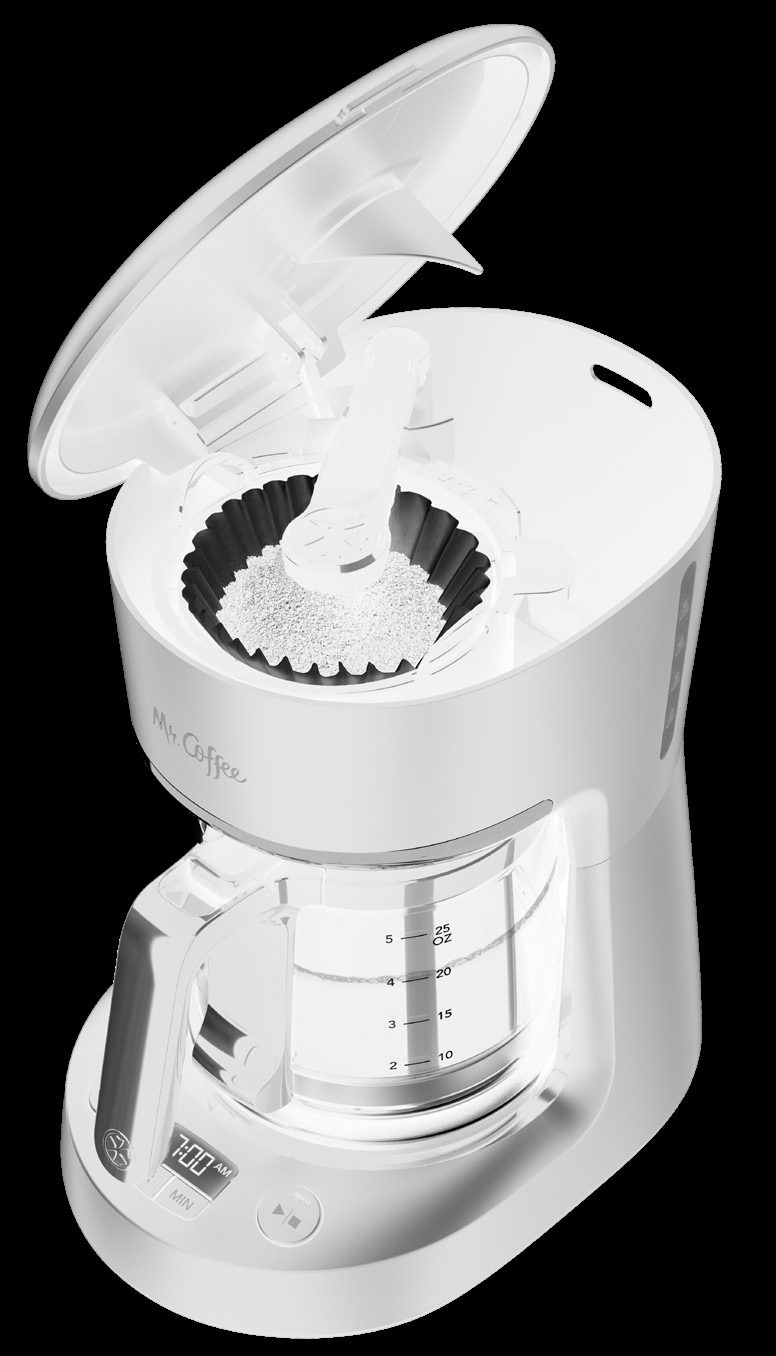
Before you even think about programming a brew time, you must establish the current time on the machine’s display. The control panel includes a dedicated clock display and separate Hour and Minute buttons for this purpose. Without this baseline time set correctly, pressing the Brew Later button will only result in confusion: the machine cannot calculate a future event from an unknown present.
To set the time, use the Hour and Minute buttons on the control panel to adjust the display to your current local time. Pay attention to the small AM/PM indicator on the display to ensure you’ve set it correctly for morning or evening. There’s no separate “set” button; the machine will accept the time after a few seconds of inactivity. Once the clock is showing the correct time, you can proceed to use the Brew Later feature.
Programming the Brew Later Timer
With the clock set, programming the automatic brew is a straightforward two-step process. The key is understanding that you are setting a target brew time, not a countdown delay.
First, press the Brew Later button to enter programming mode. When you do this, the clock display will begin flashing “12:00”. This flashing is your signal that the machine is ready for you to input your desired brew time.
While the display is flashing, use the Hour and Minute buttons to advance the time to when you want the coffee to begin brewing. For example, if you want coffee ready at 7:00 AM, you would press the Hour button until the display shows “7:00” and ensure the AM indicator is lit. The machine will wait for about five seconds of inactivity after your last button press, then it will lock in that time. The display will stop flashing and show the current time again, but the Brew Later indicator light will turn on, providing a visual confirmation that the feature is active.
Common Mistakes to Avoid
Most Brew Later problems stem from a couple of misunderstandings about how the feature operates. Knowing these quirks will save you future frustration.
The most frequent point of confusion is that the program does not auto-repeat daily. If you set it for 7:00 AM on Tuesday, it will brew at 7:00 AM on Tuesday and then turn the feature off. If you want it to brew at 7:00 AM on Wednesday, you must press the Brew Later button again on Tuesday night and reprogram the 7:00 AM time. The machine remembers the last time you set, but you have to manually re-activate the program each day.
If you change your mind after setting a Brew Later time, you can cancel it. Simply press the Brew Later button again. The Brew Later indicator light will turn off, confirming the scheduled brew has been canceled. You can then brew immediately using the Brew Now button if you wish.
Check Power and Memory
The machine’s memory for the clock and your Brew Later setting is volatile, meaning it needs continuous power to remember.
If you unplug the coffeemaker from the wall outlet, it will lose the current time and any Brew Later time you have set. When you plug it back in, you will need to start from the beginning: set the clock first, then reprogram your Brew Later time. This is why a sudden “failure” often occurs after kitchen cleaning or a power outage.
Plug the machine directly into a wall outlet, not a power strip or timer that could be switched off. A brief power flicker can be enough to reset the internal memory. If your Brew Later feature works intermittently, an unstable power source is a likely culprit. For broader power issues, see our guide on what to do when your Amazon Basics coffee maker won’t turn on.
| Problem | Quick Fix | Expected Result |
|---|---|---|
| Brew Later button does nothing / display doesn’t flash | Set the clock first using the Hour/Minute buttons. | Clock shows correct time. Pressing Brew Later then makes display flash “12:00”. |
| Machine brewed at the right time yesterday but not today | Reprogram the Brew Later feature each evening; it doesn’t auto-repeat. | Brew Later indicator light turns on after setting time each night. |
| Clock is showing “12:00” unexpectedly | The machine was unplugged or lost power. Reset the clock. | Clock displays correct, steady time. Brew Later can now be programmed. |
| Want to cancel a scheduled brew | Press the Brew Later button again to turn the indicator light off. | Brew Later light turns off. Machine will not brew at the scheduled time. |
Frequently Asked Questions
How long does the Brew Later feature stay programmed?
Once you set a Brew Later time, the coffeemaker will remember that specific hour and minute until you change it or unplug the machine. However, you must manually press the Brew Later button to activate the program for each use; the memory is for the time of day, not for daily automatic activation.
Can I set the Brew Later for more than 12 hours in advance?
Yes, you can set any time on the 12-hour clock. If you set a Brew Later time that is earlier than the current clock time (e.g., setting 6:00 AM when the current time is 8:00 PM), the machine will interpret that as 6:00 AM the next calendar day.
Why does my coffee taste bad when using Brew Later?
This isn’t a fault of the timer. Taste issues are usually related to water quality, cleanliness, or the coffee grounds sitting in the basket for hours. For a smoother cup, use a paper filter to trap sediments, and always use fresh, filtered water. A dirty machine can also lead to off-tastes; regular cleaning is essential. For a deep dive on improving flavor, check out our article on fixing weak coffee from your Amazon Basics machine.
Does the warming plate stay on for 2 hours after a Brew Later brew?
Yes. The auto-shut-off function works the same whether you use Brew Now or Brew Later. After brewing completes, the warming plate will keep the coffee hot for up to two hours and then will automatically shut off. You can press the Brew Now button at any time before the two hours are up to turn the warming plate off early.
What should I do if the buttons aren’t responding at all?
First, ensure the machine is plugged into a working outlet. If power isn’t the issue, the control panel may have a fault. Unplug the machine for 60 seconds, then plug it back in to perform a hard reset. If the buttons remain unresponsive, the unit may require service.
Is it better to use the Brew Later feature or just brew fresh?
For the absolute best flavor, brewing fresh is always superior. The Brew Later feature is a convenience that allows you to wake up to coffee, but the grounds will sit moist in the filter basket for hours, which can slightly affect taste. It’s a trade-off between peak flavor and morning convenience. For more real-world insights on performance, our long-term review of the Amazon Basics 5-Cup maker covers daily use cases like this.
Official Documentation
Want the full specifications and manufacturer instructions? Download the official Amazon Basics 5 Cup Drip Coffee Maker with Glass Coffee Pot (0.8 Qt), Auto Shut-off, Auto Pause, Removable Filter Basket, Mat manual (PDF).
